create_tensorboard_visualizations
-
ampligraph.utils.create_tensorboard_visualizations(model, loc, labels=None, write_metadata=True, export_tsv_embeddings=True)¶ Export embeddings to Tensorboard.
This function exports embeddings to disk in a format used by TensorBoard and TensorBoard Embedding Projector. The function exports:
- A number of checkpoint and graph embedding files in the provided location that will allow you to visualize embeddings using Tensorboard. This is generally for use with a local Tensorboard instance.
- a tab-separated file of embeddings
embeddings_projector.tsv. This is generally used to visualize embeddings by uploading to TensorBoard Embedding Projector. - embeddings metadata (i.e. the embeddings labels from the original knowledge graph), saved to
metadata.tsv. Such file can be used in TensorBoard or uploaded to TensorBoard Embedding Projector.
The content of
locwill look like:tensorboard_files/ ├── checkpoint ├── embeddings_projector.tsv ├── graph_embedding.ckpt.data-00000-of-00001 ├── graph_embedding.ckpt.index ├── graph_embedding.ckpt.meta ├── metadata.tsv └── projector_config.pbtxtNote
A TensorBoard guide is available at this address.
Note
Uploading
embeddings_projector.tsvandmetadata.tsvto TensorBoard Embedding Projector will give a result similar to the picture below: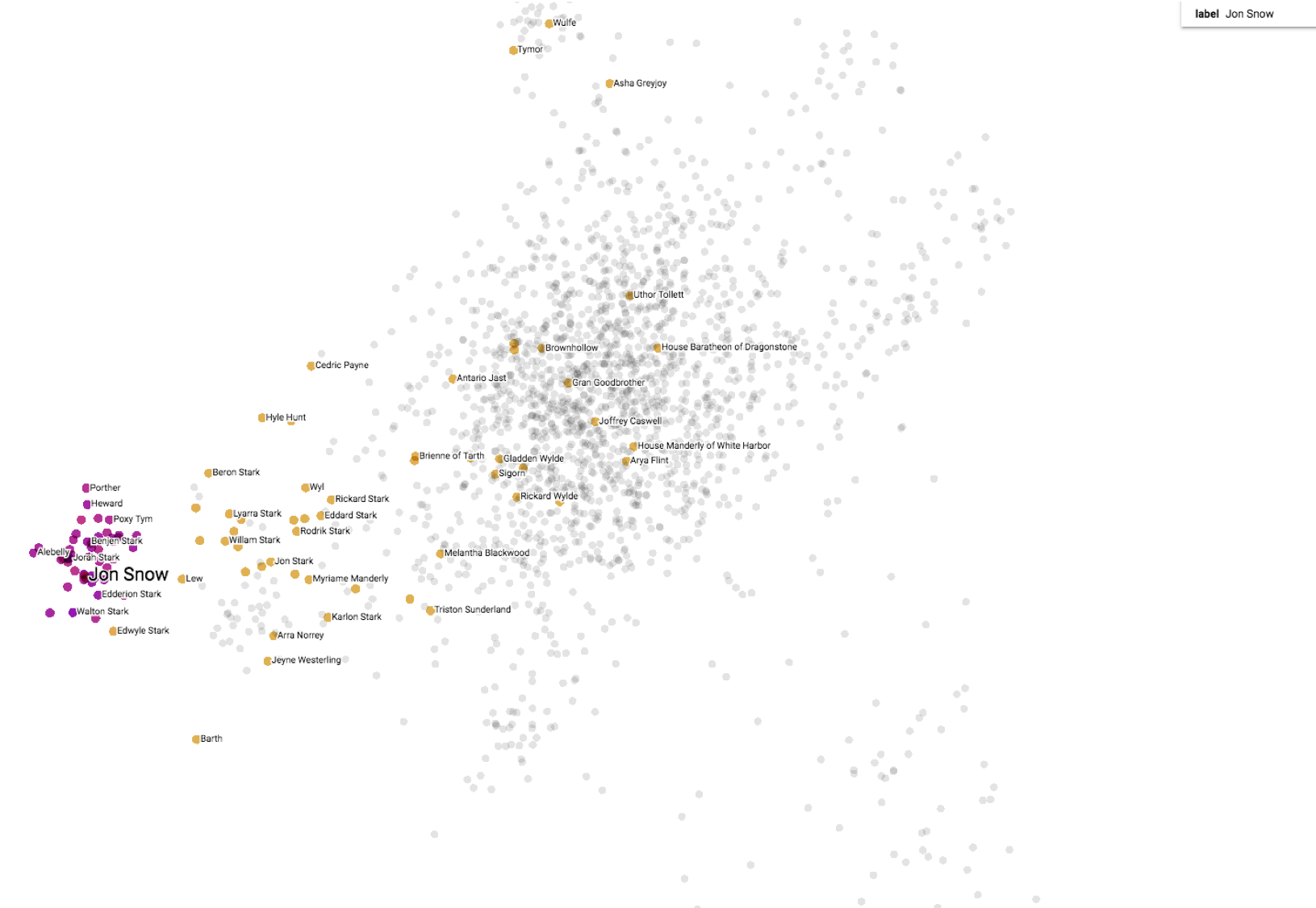
Examples
>>> import numpy as np
>>> from ampligraph.latent_features import TransE
>>> from ampligraph.utils import create_tensorboard_visualizations
>>>
>>> X = np.array([['a', 'y', 'b'],
>>>               ['b', 'y', 'a'],
>>>               ['a', 'y', 'c'],
>>>               ['c', 'y', 'a'],
>>>               ['a', 'y', 'd'],
>>>               ['c', 'y', 'd'],
>>>               ['b', 'y', 'c'],
>>>               ['f', 'y', 'e']])
>>>
>>> model = TransE(batches_count=1, seed=555, epochs=20, k=10, loss='pairwise',
>>>                loss_params={'margin':5})
>>> model.fit(X)
>>>
>>> create_tensorboard_visualizations(model, 'tensorboard_files')
Parameters: - model (EmbeddingModel) – A trained neural knowledge graph embedding model, the model must be an instance of TransE, DistMult, ComplEx, or HolE.
- loc (string) – Directory where the files are written.
- labels (pd.DataFrame) – Label(s) for each embedding point in the Tensorboard visualization. Default behaviour is to use the embeddings labels included in the model.
- export_tsv_embeddings (bool (Default: True) –
If True, will generate a tab-separated file of embeddings at the given path. This is generally used to visualize embeddings by uploading to TensorBoard Embedding Projector.
- write_metadata (bool (Default: True)) – If True will write a file named ‘metadata.tsv’ in the same directory as path.